 BirajTech Services
FlyFi Travel
FlyFi Travel keeps travellers informed from departure to arrival, on iOS, Android and the web.
- Sector
- Travel
- Platforms
- iOS, Android, Web
- Built by
- BirajTech
- AI
- AI-powered
- Find it
- WebsiteGoogle PlayApp Store
FlyFi Travel on screen.
Track Any Flight in Real-Time with the FlyFi App
From the FlyFi Travel website, word for word flyfi.app
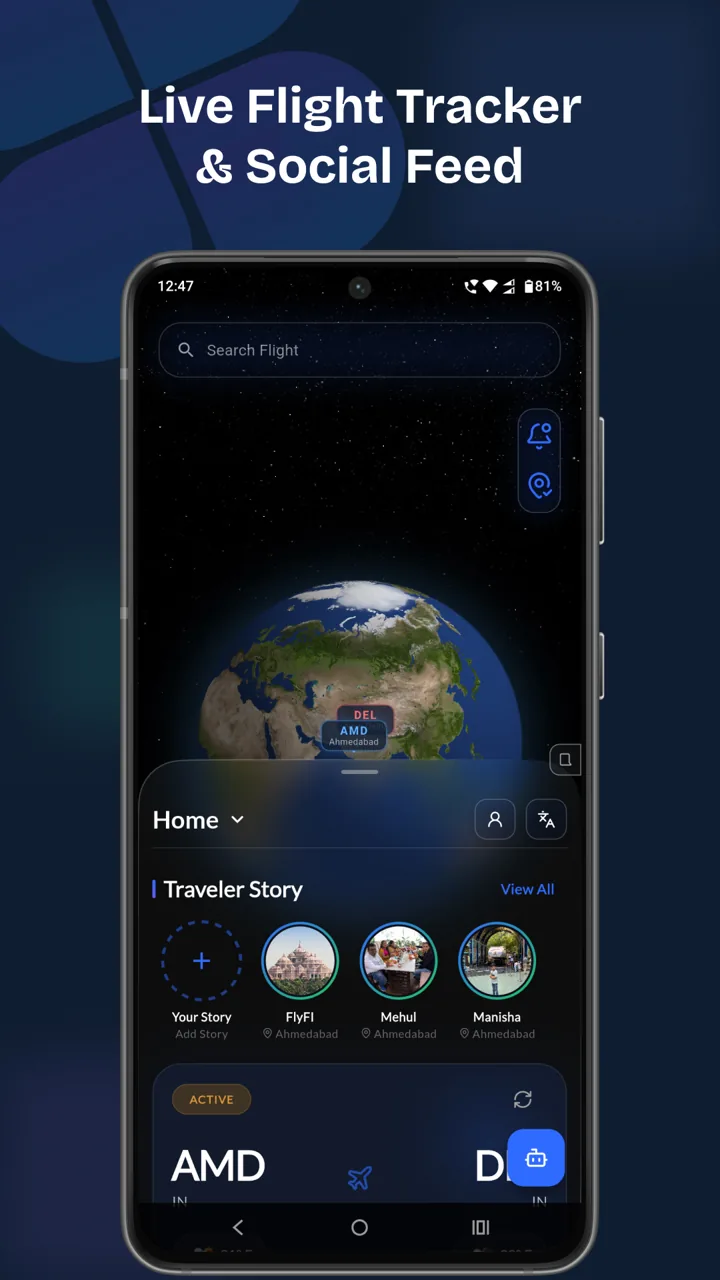
Your travel companion from check-in to touchdown. Track flights live, get online with airport and airline Wi-Fi, and catch fare drops with instant alerts.
Track, Connect & Save, All in One App
From departure to arrival, FlyFi keeps you updated, connected, and saving on every trip.
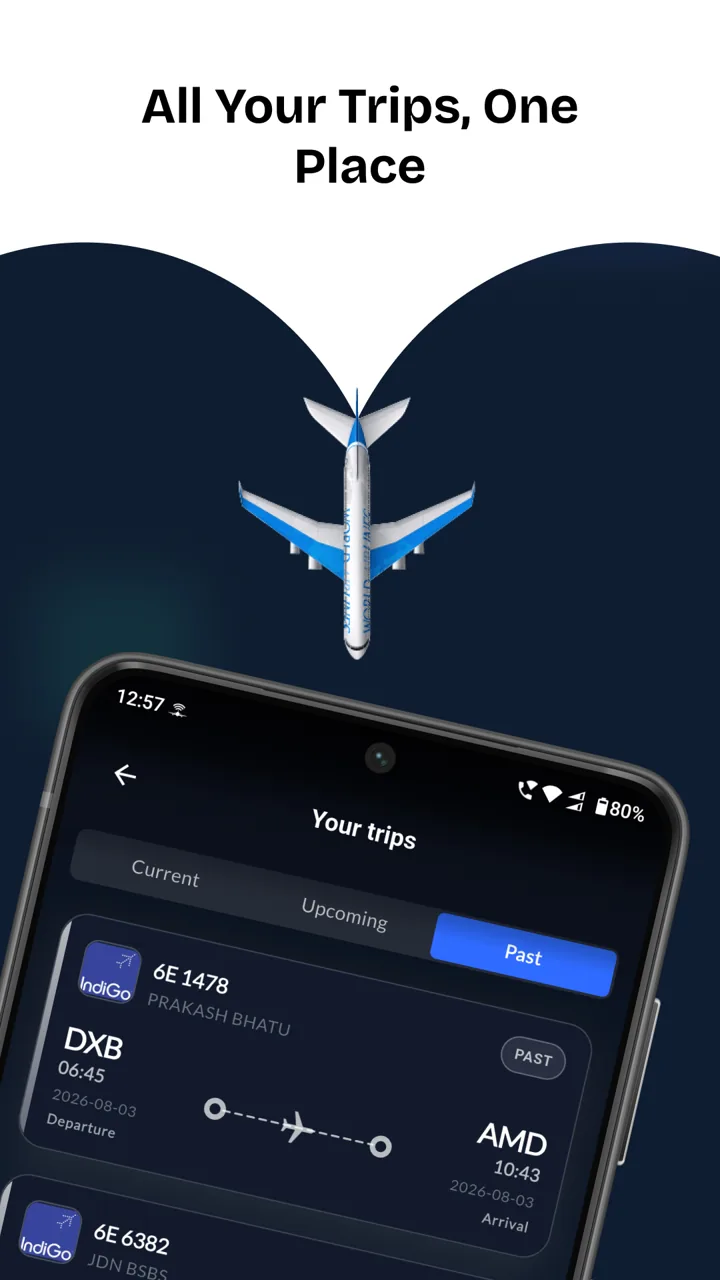
Flight Status
Stay ahead with live flight tracking. Get instant notifications for delays, cancellations, gate changes, and accurate arrival times.
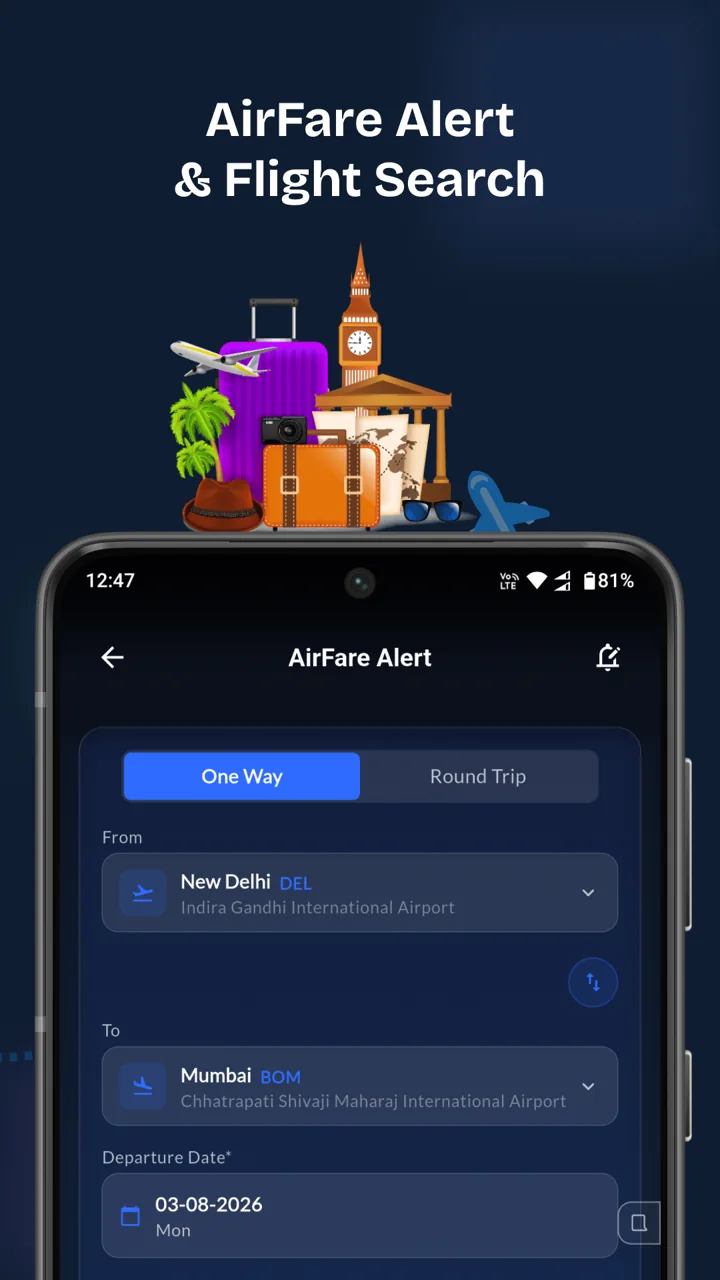
Airfare Alerts
Never overpay for flights again. Get instant notifications when prices drop on your favorite routes and book at the perfect time.
Connect to Wi-Fi
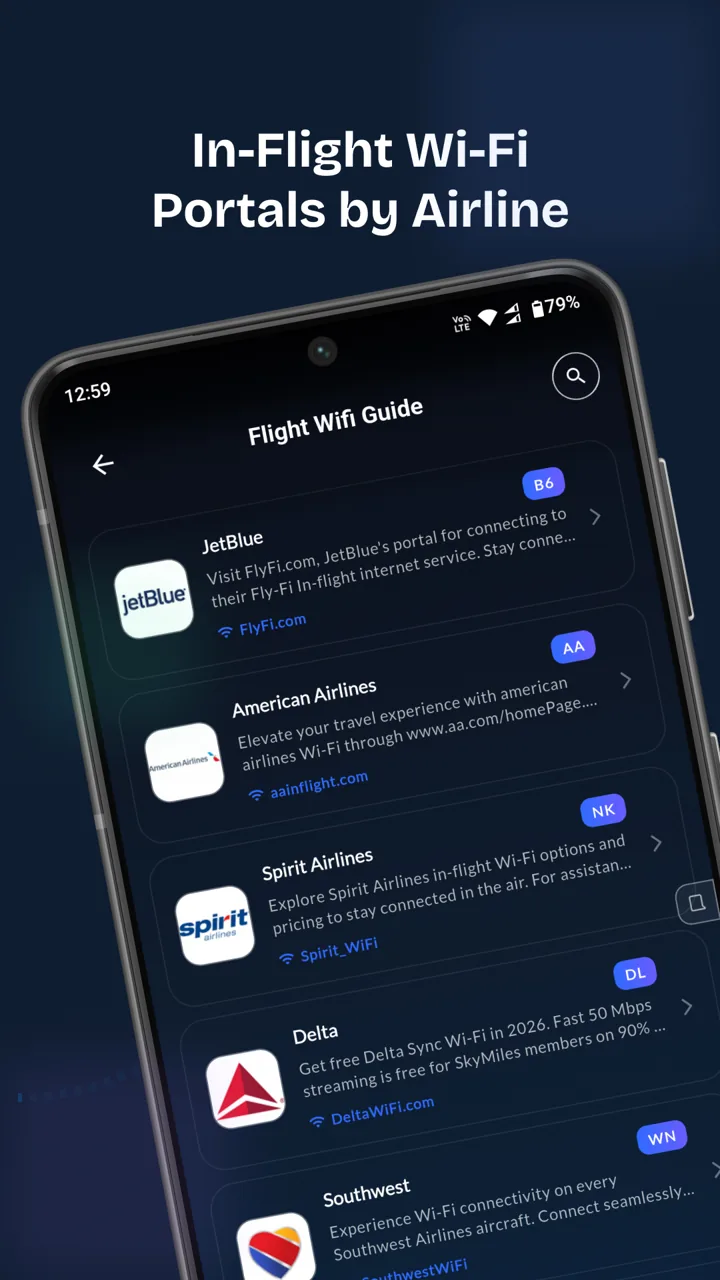
Access Wi-Fi instantly at any airport or airline with our complete Wi-Fi guides. Stay connected throughout your entire journey with ease.
The Features That Keep You Connected & Informed
Everything you need for a seamless journey, all in one app. Explore all features now!
Connect to Airport Wi-Fi
Get online before takeoff with our comprehensive airport Wi-Fi guides. Find networks, passwords, and connection instructions for airports worldwide.
Airport Peak Hours
Skip the long lines and chaos. Our peak hour insights help you plan your airport arrival when terminals are less crowded.
Airport Waiting Time
Avoid long queues and delays. Our app shows real-time airport waiting times for check-in, security, immigration, and boarding, so you can plan smarter and travel stress-free.
Visa Guide
Explore Visa Requirements for Your Chosen Destination and Nationality.
Airfare Alert
Stay in the loop with real-time price drops and exclusive offers for your dream destinations. Be travel savvy with FlyFi.
FlyBot
Scan your boarding pass for personalized airport recommendations, lounges, dining, shopping, and more.
Web Check-in
Never miss your window. Receive instant notifications to check in early, avoid the rush, and get real-time updates on your departure gate.
Seamless Baggage Tracking
Stop worrying about lost luggage. Track your bags in real-time and get instant updates on their location throughout your trip.
Client Testimonials
- FlyFi's Auto Connect Wi-Fi is fantastic! It connects me to Wi-Fi automatically, so I don't have to do anything. It's super easy and works great. (FlyFi User)
- FlyFi's Flight Airfare Alert is awesome! It tells me when there are cheap flights, so I can save money. It's really helpful. (FlyFi User)
- I love how I can track just scan my boarding pass and track my flight for free with FlyFi. It's so simple and keeps me updated on my flight status. (FlyFi User)
Travel Smarter with FlyFi App, Your Onboard Companion
FlyFi is your onboard travel companion for convenient and unforgettable journeys. With real-time airfare alerts, Airport Peak Hour, comprehensive travel information, and exclusive rewards through our FlyPoints program, FlyFi is designed to make every step of your journey hassle-free and memorable.
Explore the world confidently with innovative features that connect you to the pulse of your destination, catering to your unique travel style, whether you're an adventure seeker or a business professional.
Let FlyFi App be your key to seamless and personalized travel.
How to Use FlyFi App?
Experience a world where your journey is our priority
- Download and Install: Head to your app store, search for FlyFi, and download it for instant travel convenience.
- User-Friendly Interface: Effortlessly navigate FlyFi's intuitive and user-friendly interface.
- Connectivity Guides: Find step-by-step instructions to connect seamlessly to flight and airport Wi-Fi.
- Exclusive Travel Features: Explore exclusive features that guide you through every step of your travel.
- Comprehensive Travel Information: Instantly access travel information and gain insights into destinations, accommodations, and local attractions for a seamless and personalized travel experience.
Monitor Flights Across the GLOBE
Get real-time flight updates only on the FlyFi App
Every other topic.
04Why Choose FlyFi?
5 items
Experience the future of flight tracking with precision, design, and innovation built for the modern traveler.
Live Flight Updates
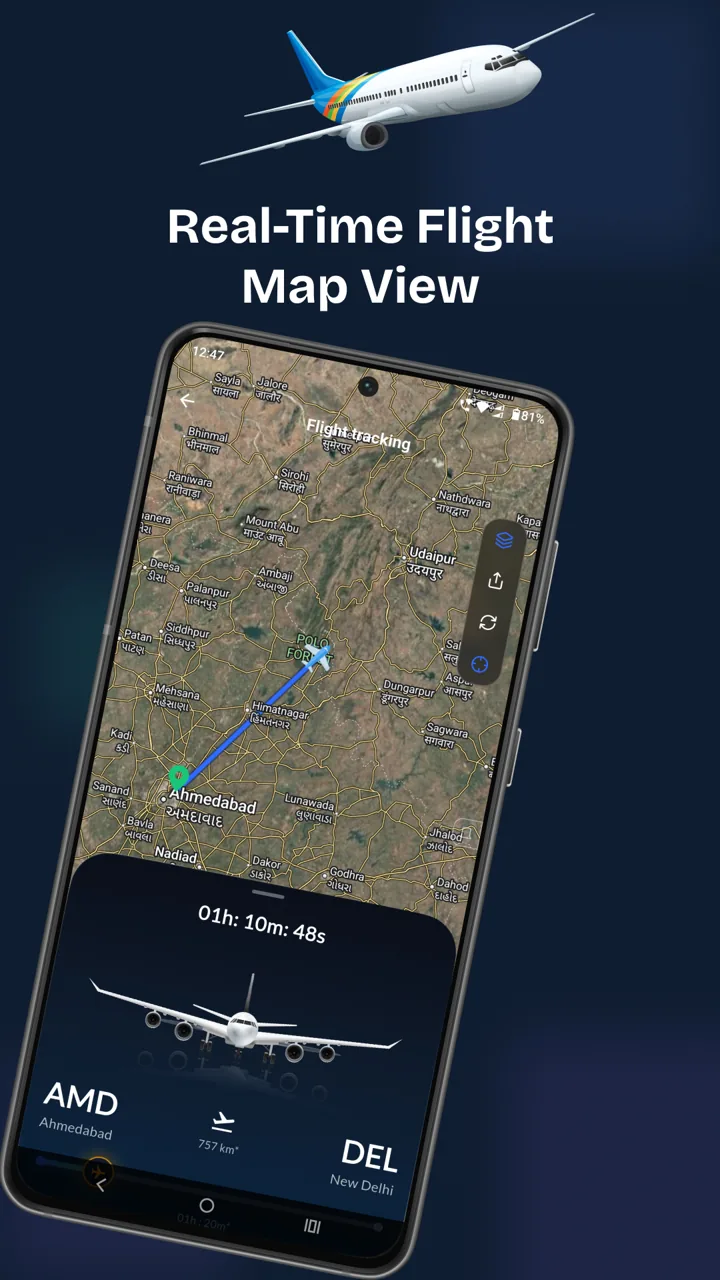
Get real-time flight updates like flight location, altitude and arrival time with accuracy.
Instant Notifications
Get notified about delays, cancellations, gate changes, and boarding announcements.
Multi-Flight Tracking
Monitoring a connecting flight? A family member’s arrival? Track unlimited flights simultaneously from a single dashboard.
Detailed Flight Information
View aircraft type, departure/arrival times, altitude, speed, and destination weather.
How to check Flight Status with FlyFi?
- Enter Flight Details: Enter flight number, airline, airports, or scan your boarding pass to start tracking.
- Start Tracking: Hit 'Track My Flight' and instantly see your flight's real-time position with live updates.
- Get Notifications: Receive automatic alerts for delays, gate changes, boarding calls, and arrivals.
- Share with Others: Send flight updates to family and friends so they know when to expect your arrival.
05Perfect for Every Traveler
7 items
FlyFi is designed to fit every kind of traveler, from business professionals to families, frequent flyers, and even airline partners.
For Business Travelers
Manage multiple flights with precision. Receive alerts about delays so you can adjust connections and meetings. Stay productive without worrying about missing flight updates.
For Families
Know when loved ones are safely in the air and when they're about to land. Receive arrival notifications to plan pickups perfectly.
For Frequent Flyers
Build a comprehensive flight history. Analyze your travel patterns and access all your flight information in one place.
For Airport Lounges & Airlines
Businesses can integrate FlyFi to provide enhanced customer experience and real-time flight information to travelers.
Smart Prediction
Smart AI recommendations at your fingertips. Find top-rated hotels, lounges, attractions, and dining options near your arrival airport. Get suggestions based on your layover time and travel style.
Best Way to Track Flights Before You Travel
Proactive flight tracking begins well before you arrive at the airport. With FlyFi's advanced notification system, you can set up personalized alerts for your flights up to 24 hours in advance. The app monitors weather conditions, air traffic control updates, and operational changes that might affect your flight schedule.
Key Features for Effective Flight Tracking
- Boarding Pass Integration: Scan your pass to auto-track your flight.
- Multi-Flight Tracking: Monitor multiple flights for groups or connections.
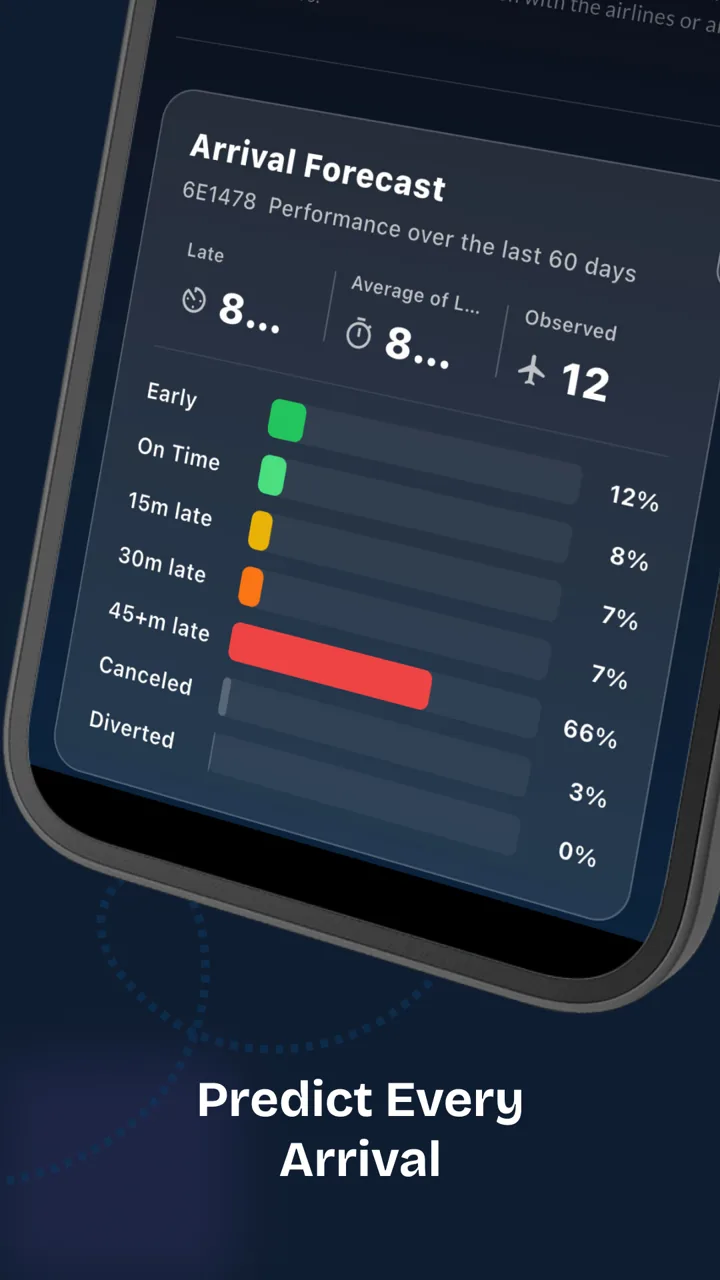
- Historical Data Insights: Check flight punctuality stats for smarter booking.
06Why FlyFi is Better than Airline Websites for Flight Status
3 items
While airline websites provide basic flight information, they often lack the comprehensive features needed for modern travel management. FlyFi aggregates data from multiple sources, including air traffic control systems, weather services, and airport operational databases, providing more accurate and timely information than individual airline platforms.
The app's intelligent notification system goes beyond simple status updates. It analyzes patterns in flight delays, considers connecting flight implications, and provides actionable recommendations. For instance, if your first flight is delayed and you have a tight connection, FlyFi will suggest alternative flights and provide contact information for rebooking assistance.
Real-Time Updates
Get instant notifications about gate changes, delays, and boarding announcements, often before official airline announcements.
Smart Predictions
Advanced algorithms predict potential delays based on weather patterns, air traffic, and historical performance data.
Testimonial
Discover how travelers are transforming their journeys with real-time flight updates and total peace of mind.
- I used to panic every time my flight was delayed. FlyFi gives me peace of mind with instant updates and accurate information. (Sarah M., Frequent Traveler)
- Tracking my wife's flight arrival made planning our evening so much easier. No more guessing games! (James K., Family Coordinator)
- As a business consultant flying 3-4 times monthly, FlyFi has become indispensable for managing my schedule. (Michael R., Business Consultant)
From the FlyFi Travel FAQ
What features are available on the free version of FlyFi?
FlyFi offers the first boarding pass scanner for free. Along with this, you can access various other features for free, such as in-flight WiFi monitoring, currency converter, your trip prediction, travel restrictions guide, trip ideas, and much more. However, by subscribing to our premium offer, you get access to all the features on the app, which customize your travel with just one boarding pass scan.
How to use the boarding pass scanner?
Simply scan your boarding pass by clicking on the boarding pass widget in the app and scanning the QR code or barcode on the pass. Once the scan is complete, you are all set to use the app and the features that come with it.
How do I check the flight's internet?
With our auto-monitoring flight WiFi feature, the bandwidth of the in-flight internet is constantly evaluated, and if it becomes unstable, you are immediately notified, and an email report is automatically sent to the ISP to request a refund.
What is a trip idea?
Trip Idea is an exclusive feature that FlyFi offers, which automatically recommends the best places to visit at your arrival destination.
How do I track my check-in luggage?
By clicking on the Baggage Tracking widget in the app, all the information pertaining to your check-in baggage will be displayed. This is possible because once you scan your boarding pass, the information about your check-in luggage also syncs with your flight details. So, no more worrying about losing your luggage.
Why does my iPhone not connect to AirPort Wi-Fi?
The most common reasons why your iPhone may not connect to AirPort Wi-Fi are a weak signal, incorrect password, network congestion, or an issue with your device's software or settings. To troubleshoot the issue, try the following steps: Make sure you are within range of the AirPort Wi-Fi network and that the signal is strong enough. Double-check that you are entering the correct password for the network. Turn off Wi-Fi and then turn it back on again to refresh the connection. Reset the AirPort base station by unplugging it for 10 seconds and then plugging it back in. Reset network settings on your iPhone by going to Settings > General > Reset > Reset Network Settings. If none of these steps work, you may need to contact Apple Support for further assistance.
How do I use the Destination Safety?
Destination Safety gives you a safety score based on various parameters, namely health, physical safety, women's safety,LGBTQ+ rights, basic freedoms, and more.
What does FlyFi notify me of?
FlyFi notifies you of any changes taking place during your air travel to your destination. From gate numbers to flight delays and terminal changes, FlyFi alerts you instantly with real-time updates. This helps ensure you never miss a flight and also helps you navigate the boarding gates easily.
What information does Security Time provide?
This feature provides you with real-time information about the waiting times in the long queue at the TSA. Many times, travellers arrive just before their boarding time and fail to make it to the boarding gates because of long waiting lines at the TSA. With this feature, you know exactly how much time it will take for you to pass through the security lines and reach your boarding gate on time.
How is FlyFi better than others?
Well, FlyFi is an all-in-one app that provides you with the right features to help you have a smooth travel experience. With over 20 unique customization elements, FlyFi will assist you in having a more comfortable and stress-free air travel. Rather than juggling 10 different apps to keep up with your travel needs, why not have just one app that does the job? But hey, don’t just take our word for it, try FlyFi for yourself now!
How do I check my flight status?
Once you have scanned your boarding pass, go to the FLIGHT STATUS feature on the app where you can check your real-time flight status.
Can I use Wi-Fi in airplane mode?
Yes, you can use Wi-Fi in airplane mode on some airlines that offer in-flight Wi-Fi services, such as FlyFi. Airplane mode on your device disables cellular network and Bluetooth connections but does not affect Wi-Fi functionality.
How do I connect to the flight's internet?
Simply tap the "Connect to WiFi" widget and connect to the in-flight Wi-Fi. This feature provides a Wi-Fi guide for various airlines.
How can I use Bluetooth in airplane mode?
It is generally not possible to use Bluetooth in airplane mode as it is usually disabled to comply with airline regulations. However, some airlines may allow the use of Bluetooth devices in airplane mode such as wireless headphones or earbuds.
How do I connect to flight Wi-Fi on an airplane?
To connect to in-flight WiFi, turn on your device's WiFi and select the network provided by the airline. Open your web browser and follow any required login or payment steps to access the internet. Keep in mind that the process may vary depending on the airline and additional charges may apply. https://flyfi.app/connect-to-flight-wifi
How do I connect to airport Wi-Fi?
To connect to airport WiFi, turn on your device's WiFi and look for available networks. Select the network for the airport and open your web browser. Follow any required login or acceptance of terms and conditions to access the internet. Keep in mind that some airports may have a time limit or data cap on their free WiFi service, and additional charges may apply for extended access. https://flyfi.app/connect-to-airport-wifi
How do I connect my iPhone to my airplane Wi-Fi?
To connect your iPhone to airplane Wi-Fi, follow these general steps: Turn on your iPhone and enable Wi-Fi. Look for the available Wi-Fi networks and select the network provided by the airline. Open your web browser, which should redirect you to the login page for the in-flight Wi-Fi. Enter any required login credentials or payment information. Once you're logged in, you should be able to access the internet and browse the web as usual.
What is iPhone Airplane Mode?
Airplane mode on an iPhone is a setting that disables all wireless connectivity features, such as cellular data, Wi-Fi, Bluetooth, and GPS.
Is airplane Wi-Fi free?
In-flight Wi-Fi is not always free. The cost of in-flight Wi-Fi varies depending on the airline and the type of service offered. In many cases, in-flight Wi-Fi is available for purchase, either by the hour or for the duration of the flight.
Which airline gives free Wi-Fi?
Some airlines that offer free Wi-Fi on some or all of their flights include JetBlue Airways, Emirates, Norwegian Air, Qatar Airways, and Air China.
How do I sign in to FlyFi?
To sign in to FlyFi.app, follow these steps: Open a web browser and navigate to https://flyfi.app/web/user. Enter your email address or mobile number associated with your FlyFi account. Click on "Send Verification Code" to receive an OTP (one-time password) via email or SMS. Enter the OTP in the verification field and click "Verify". Once verified, you can access Wi-Fi on your device through the App.
How do I connect to FlyFi on Android?
To connect to FlyFi.App on an Android device, follow these steps: Download the FlyFi.App from the Google Play Store (https://play.google.com/store/apps/details?id=com.cloudzon.flyfi&hl=en&gl=US) before your flight. Once on a flight that offers FlyFi.App, turn on Wi-Fi on your Android device and connect to the in-flight Wi-Fi network. Open the FlyFi.App and sign in or create an account if you don't have one. Once signed in, you can access in-flight entertainment and Wi-Fi on your device through the FlyFi.App.
What should I do if my FlyFi isn't working properly?
Ensure that your device is in airplane mode. Manually type www.FlyFi.com into your device's browser after connecting to the Fly-Fi network. Login as a guest or with your TrueBlue account on FlyFi.com and accept the terms of service. Clear your cache, cookies, and browsing history, then reconnect following the steps above. If you're experiencing intermittent disconnections on an Apple device, go to Settings > Wi-Fi > flyfi.com and ensure that the 'Auto-Join' setting is turned on.
How do I check my flight status in real time?
Simply enter your flight number or PNR in FlyFi to get live flight updates. Our real-time flight tracker shows your flight status, current location, altitude, and estimated arrival time updated every few seconds.
Can I track my flight live with FlyFi?
Yes! FlyFi is a live flight tracker that provides real-time flight status updates. Track your flight's current position on our interactive map and receive live updates on delays, arrivals, and departures.
How do I check my PNR flight status?
Enter your PNR (Booking Reference) in FlyFi's search bar to instantly check your flight status, schedule, and real-time updates.
Does FlyFi track international and USA flight status?
Yes! FlyFi is an online flight tracker for international flights and real-time flight status tracking across the USA, UK, and worldwide (Inflight Internet required). Check airline flight status updates for any global flight.
Can I track my flight by flight number?
Absolutely. Simply enter your flight number to get instant flight status by number, real-time flight updates, and live flight delay information.
How accurate is FlyFi's real-time flight map?
FlyFi uses official airline data and aviation sources to provide accurate live flight status. Our real-time flight tracker updates flight arrival and departure status continuously.
Does FlyFi send flight status notifications?
Yes! FlyFi is a flight status notification app that alerts you about delays, gate changes, cancellations, and arrivals. Enable notifications to stay updated on your live flight status.
What's the difference between FlyFi and other flight trackers?
FlyFi combines real-time flight status with live flight updates, flight delay notifications, and a user-friendly interface. Our flight status app provides comprehensive flight schedule status and live updates in one place.
Is my personal information secure with FlyFi?
Absolutely. FlyFi uses industry-standard encryption to protect your data. We never share your information with third parties.
StaySaver
Tell us about the problem.
Get a scoped reply within two working days.